Creating a cozy and inviting home office space is essential for anyone working remotely or spending significant time tackling projects at home. A well-designed area can boost your productivity, reduce stress, and make your workday more enjoyable. Whether you have a small nook or a dedicated room, there are plenty of ways to make your space feel welcoming and functional.
In this post, we’ll explore tips and ideas for setting up a home office that combines comfort, style, and efficiency.
Choose the Right Location
The first step in creating an inviting home office is selecting an ideal spot. Consider these factors:
– Natural Light: Pick a space with plenty of sunlight if possible. Natural light helps improve mood and alertness.
– Quiet Environment: Choose a spot away from noisy areas like the kitchen or TV to minimize distractions.
– Space for Movement: Ensure there is enough room to move comfortably without feeling cramped.
If a separate room isn’t available, a quiet corner or a sectioned-off space can still work well.
Invest in Comfortable Furniture
Comfort is key to maintaining focus and avoiding fatigue. When selecting furniture, keep these points in mind:
– Ergonomic Chair: Choose a chair that supports your lower back and allows you to sit with feet flat on the floor.
– Desk Size: Pick a desk with enough surface area for your computer, notepad, and other essentials but avoid overcrowding.
– Adjustable Options: Desks or chairs that adjust in height help you maintain good posture throughout the day.
Consider adding a soft cushion or footrest for extra comfort.
Use Soothing Colors and Textures
Colors and textures greatly affect the atmosphere of a room.
– Warm or Neutral Colors: Shades like soft beige, light gray, pale blue, or muted greens create a calming environment.
– Accent Pieces: Add pops of color through decorative pillows, artwork, or a rug.
– Textures: Mix different textures such as a knitted throw, smooth wooden surfaces, or plush rugs to add warmth.
Avoid overly bright or harsh colors that might cause eye strain or nervous energy.
Organize with Function and Style
A tidy workspace helps prevent distractions and keeps productivity high.
– Storage Solutions: Use shelves, drawers, or baskets to keep paperwork, cables, and office supplies neatly stored.
– Desk Organizers: Invest in trays or holders for pens, notebooks, and devices.
– Cable Management: Use clips or cable boxes to keep cords untangled and out of sight.
Label storage bins or drawers for easy access, helping you maintain order over time.
Bring in Personal Touches
Your office should feel like a space you want to spend time in. Personal touches make it more inviting.
– Photos and Mementos: Display pictures of loved ones or memorable trips.
– Artwork: Hang inspiring art or prints that motivate you.
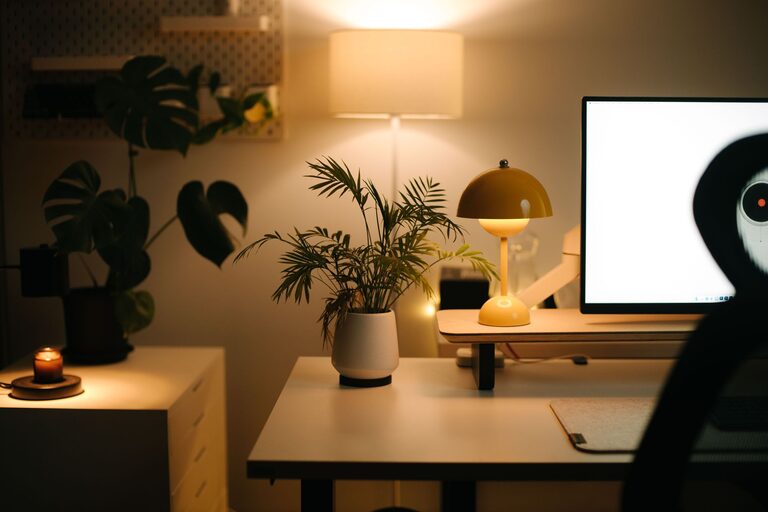
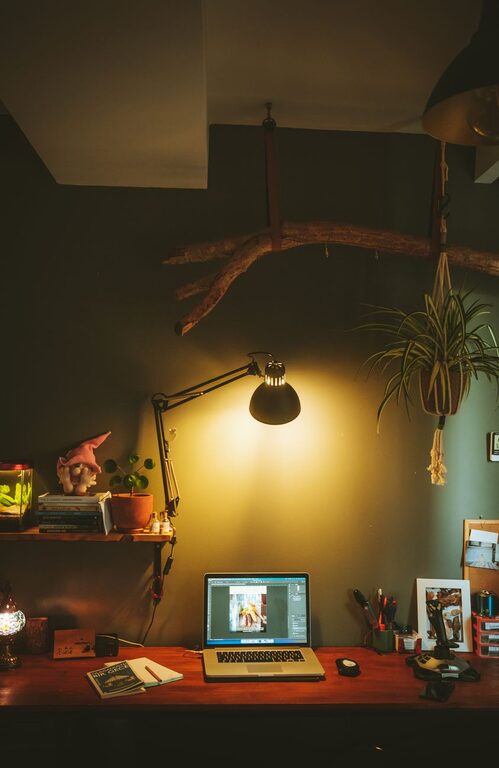
– Plants: Adding greenery improves air quality and adds life to the room. Low-maintenance options like succulents or snake plants are ideal.
Just be careful not to overcrowd the space with too many items.
Pay Attention to Lighting
Lighting plays a huge role in comfort and productivity.
– Layered Lighting: Use a combination of ambient (general), task (focused), and accent lighting.
– Desk Lamp: A lamp with adjustable brightness and direction helps reduce eye strain when working on detailed tasks.
– Avoid Glare: Position your computer and lighting sources to minimize reflections or glare on screens.
If natural light is limited, consider daylight bulbs that mimic natural sunlight.
Add Comfort-Enhancing Accessories
Little extras can elevate the coziness of your office.
– A Soft Rug: Adds warmth and reduces noise from chairs or footsteps.
– Throw Blanket or Pillow: Perfect for chilly days or added back support.
– Aromatherapy: Diffusers with calming scents like lavender or eucalyptus can create a relaxing mood.
Comfort doesn’t have to sacrifice professionalism—choose accessories that suit your style and needs.
Keep Technology Efficient and Clutter-Free
Technology is central to most home offices, so optimize your setup:
– Wireless Devices: Reduce cable clutter by using wireless keyboards, mice, and printers.
– Monitor Stands: Elevate your screen to eye level for better posture.
– Charging Stations: Designate areas to charge laptops, phones, and tablets neatly.
Regularly declutter your digital workspace, too, by organizing files and deleting unnecessary documents.
Establish Boundaries and Routine
Finally, a cozy home office should support good work habits.
– Designate Work Hours: Define when your office is “open” to keep work-life balance intact.
– Create a Ritual: Begin your day with a coffee, stretch, or to-do list to prepare mentally.
– Take Breaks: Include a comfortable chair or a spot for brief pauses to refresh your mind.
These routines help your home office serve its purpose while keeping your well-being in check.
—
By focusing on comfort, organization, lighting, and personal style, you can create a home office space that feels both cozy and professional. Even small changes can make a big difference in how you feel and work every day. Start with a few tips that resonate most with you, and enjoy making your workspace a place you look forward to spending time in.
About the Author